Place an order at the booth
The seller's flow, from picking tickets to handing over a confirmation.
This is the heart of the booth — the step-by-step you'll run dozens or hundreds of times in a busy event. Once you've done it a few times, it takes about a minute per buyer.
The steps
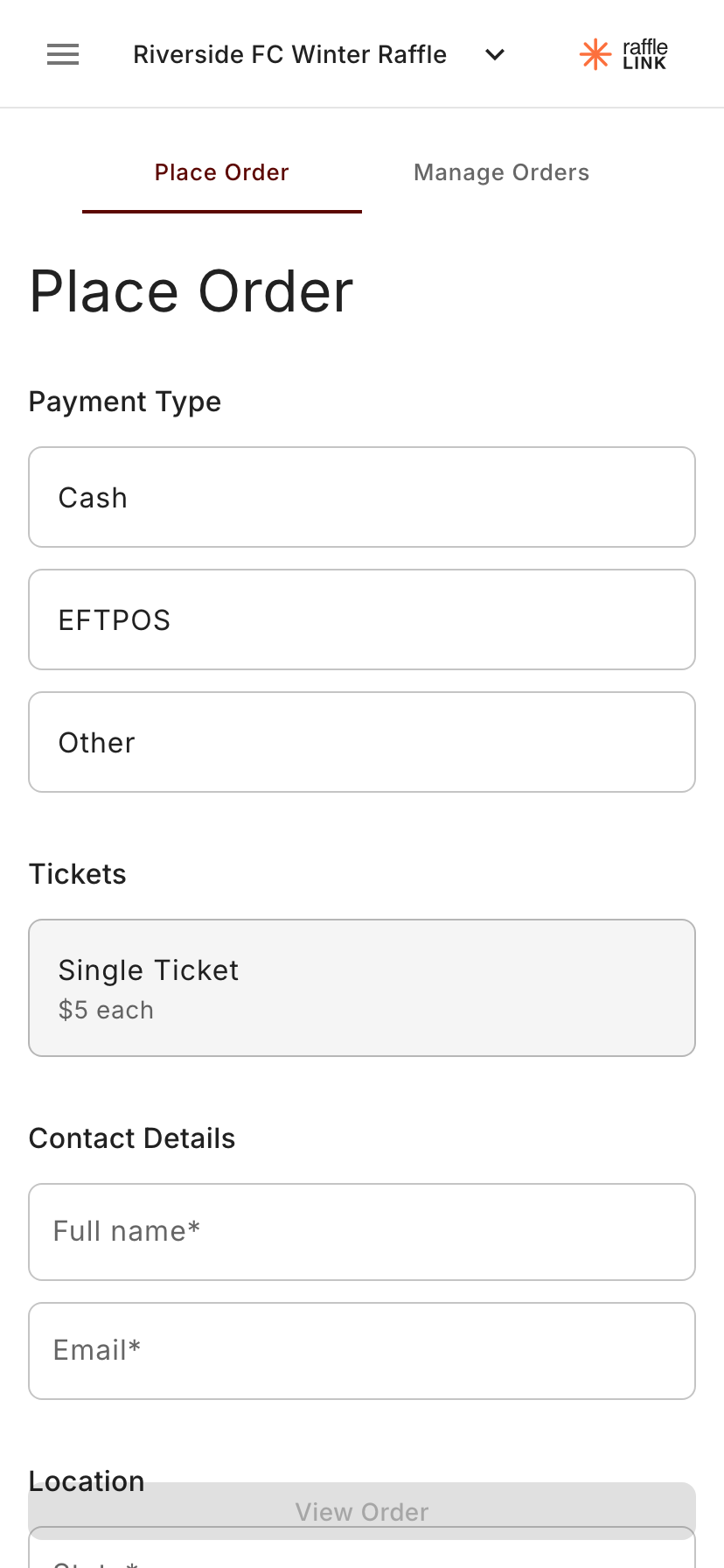
Pick tickets. Choose the ticket type and the quantity the buyer wants. If the raffle offers packs, you'll see those here too.
Take the buyer's details. Name, email, and state. Email is important — it's how the buyer gets their tickets and how they'll find them again later.
Pick the payment method. Cash, EFTPOS, or Other. This is just a label for your records — you collect the money externally; the booth doesn't process payment for these orders. EFTPOS means you've already taken the payment on your organisation's own EFTPOS terminal. The web booth can't charge a card itself — for that, use Tap to Pay in the Ticket Booth app.
Review the order. A quick summary screen — number of tickets, total to collect from the buyer, payment method.
Submit. Done.
The buyer immediately receives a confirmation email with their tickets and a QR code linking to their ticket page.
The success screen
After you submit, you land on a success screen with:
- A confirmation of the order.
- A QR code (you can show this to the buyer if they want to see their tickets straight away).
- Place new order to go again with the next person in the queue.
- Manage this order if you need to view or change it before moving on.
A few in-the-moment notes
- Your phone needs internet. The booth talks to RaffleLink in real time. Patchy reception at the venue is the most common cause of a stuck-feeling sale — find a spot with bars before the doors open.
- Double-check the email. It's the only way the buyer can come back to their tickets. If you mistype it, the buyer can update their contact details later, but it's much easier to get it right the first time.
- Cash float still matters. RaffleLink doesn't handle the cash for you on these sales — make sure whoever's running the table has change.