Update a buyer's contact information
Fixing a buyer's email or details — and resending their tickets to the right place.
If a buyer gave the wrong email, mistyped their name, or needs their address corrected, you can update their contact details from their order. This matters most for email, because the email is how the buyer receives and later finds their tickets.
Update the details
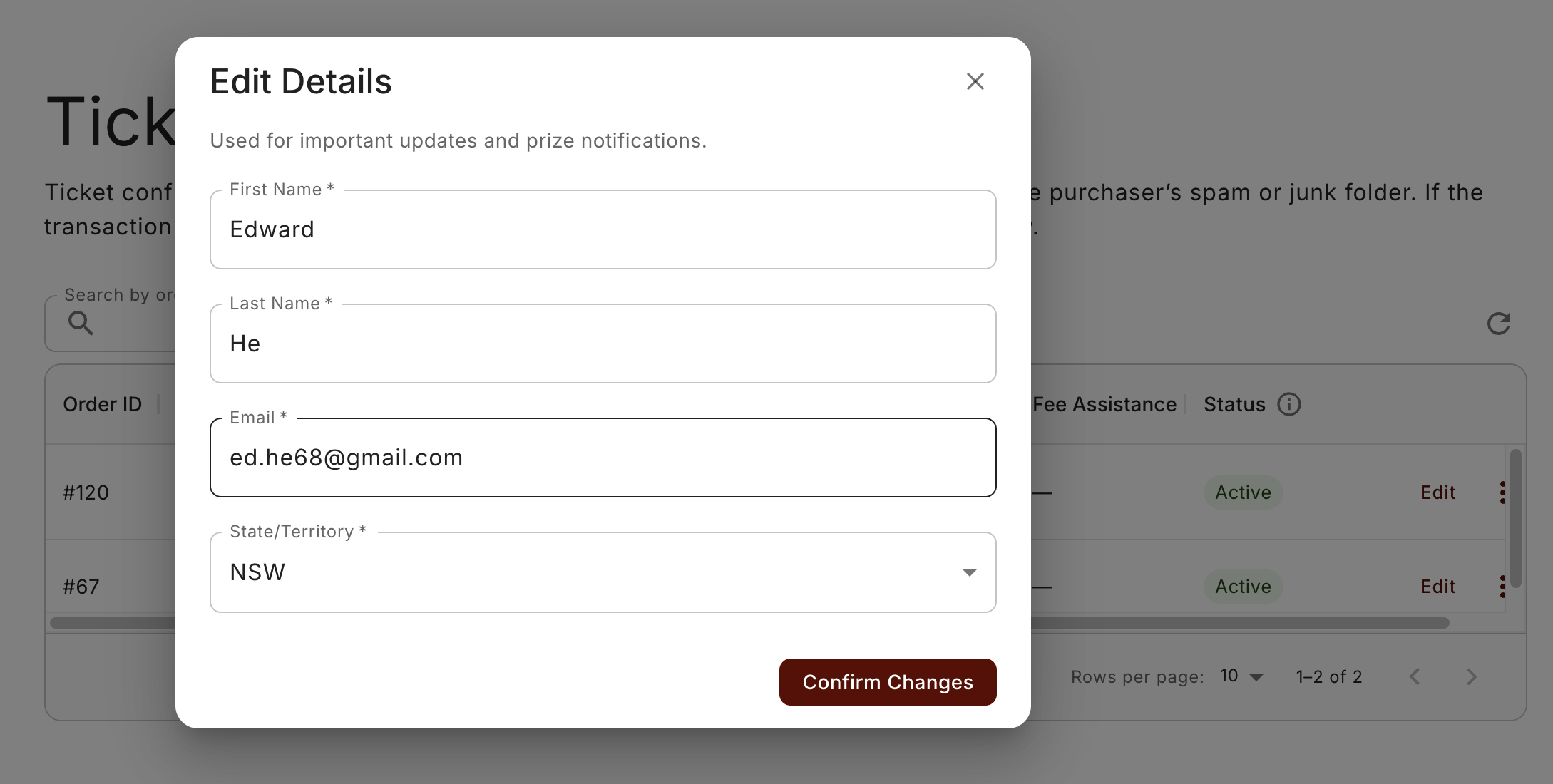
Open the order, choose to edit the buyer's contact information, and correct what's needed — name, email, address, or their answers to your custom questions.
Their tickets get re-sent
When you change a buyer's contact details, RaffleLink re-sends their ticket confirmation with the updated information — so if you've fixed a wrong email, the tickets land in the right inbox automatically. The buyer gets a note explaining their contact info was updated, with a line to contact support if it wasn't them.
Why email especially matters
Buyers don't have accounts — they reach their tickets through the link in their confirmation email (and the access token in it). So if the email address is wrong, the buyer can't get back to their tickets. Correcting the email and triggering the re-send is exactly how you fix that.
If a buyer contacts you saying they never received their tickets, check the email on their order first — a typo there is the usual culprit. Fix it, and the re-send handles the rest. (If the email's correct and they still don't have it, see Resend a ticket confirmation.)