Resend a ticket confirmation
Getting a buyer their confirmation email again when it's gone missing.
The confirmation email is how a buyer gets — and keeps — their tickets. If one goes missing, you can resend it from the order, no fuss.
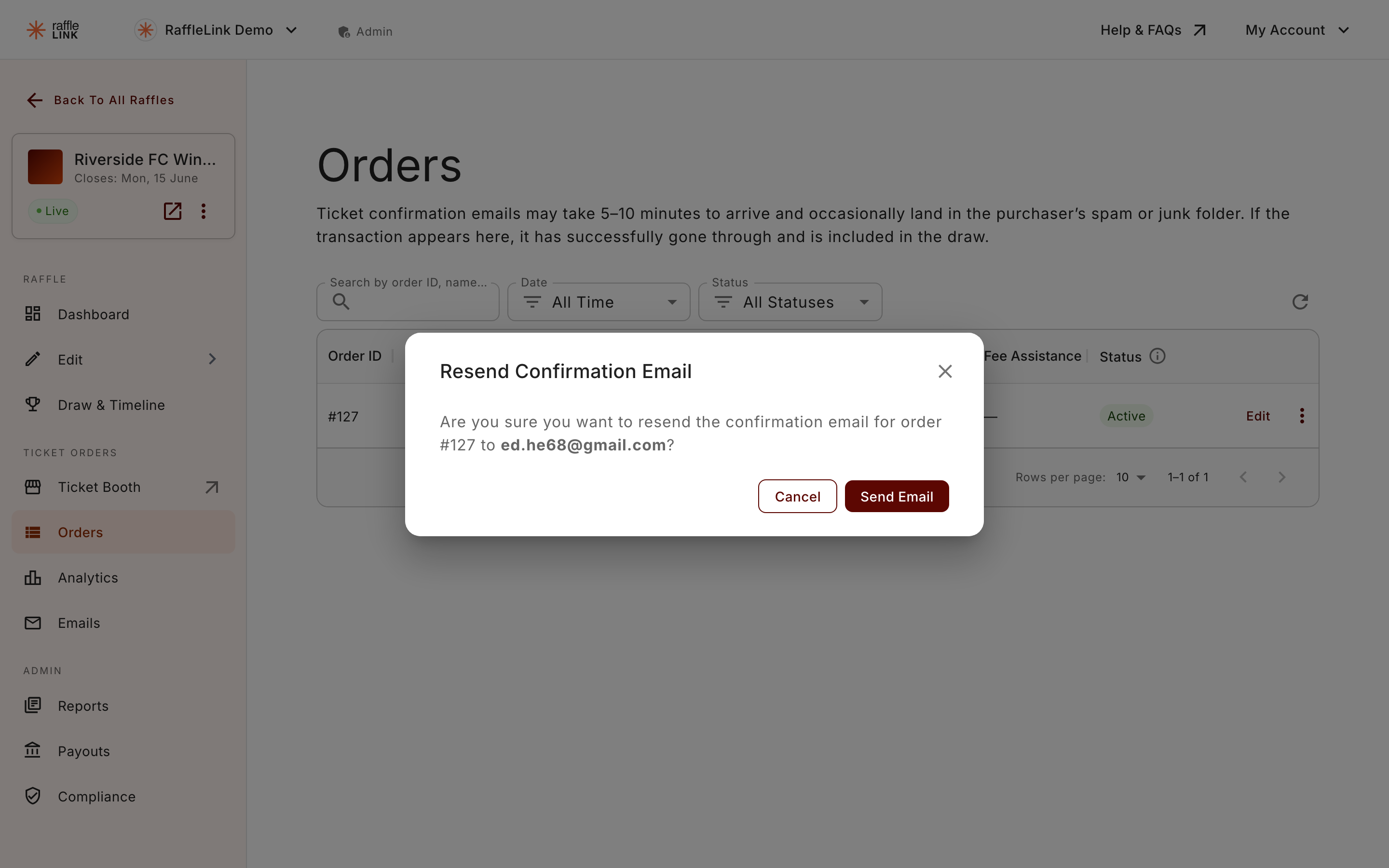
Resend it
Open the buyer's order and choose Resend confirmation. RaffleLink sends the same confirmation email — tickets, QR, order details — to the email address on the order.
When to reach for this
- The buyer says the original never arrived (check spam first — it's the usual answer).
- The buyer deleted the email and needs their tickets again.
- You're at an event and a booth buyer wants their confirmation re-sent on the spot.
If the email address is wrong
Resending only helps if the email on the order is correct. If the buyer never received the original because of a typo, fixing the email is the real solution — and updating their contact details re-sends the tickets automatically. See Update a buyer's contact information.
Buyers can't do this themselves
Because buyers don't have accounts, they can't trigger a resend on their own — it comes from you (or RaffleLink support). If a buyer is stuck, resending their confirmation is usually the quickest fix.