Editing a live raffle
How to make changes on a live raffle, and how the notify-your-buyers step works.
Editing a live raffle works much like building it did — you open the same steps and change what you need. The difference is that some fields are gated: changing them triggers a notification to everyone who already holds a ticket. This article is about handling those gracefully.
Gated fields and the lock icon
In management mode, fields that will notify your buyers when changed are marked with a lock icon. The icon doesn't mean you can't touch the field — it means the field is gated: you can change it, but saving will email your ticket holders about the change. (The product sometimes calls these "locked fields" in the warning it shows — same thing: changing them sends a notification.)
Make all your changes before saving
Here's the practical tip that saves your buyers a flooded inbox:
Batch your changes into one save
If you're making several gated changes, make them all before you save — across every section. Saving once with everything done sends your ticket holders a single notification with all the updates. Saving repeatedly sends them an email each time.
So: open everything you want to change, work through it, then save once. Your buyers get one tidy "here's what changed" email instead of five.
Previewing the notification
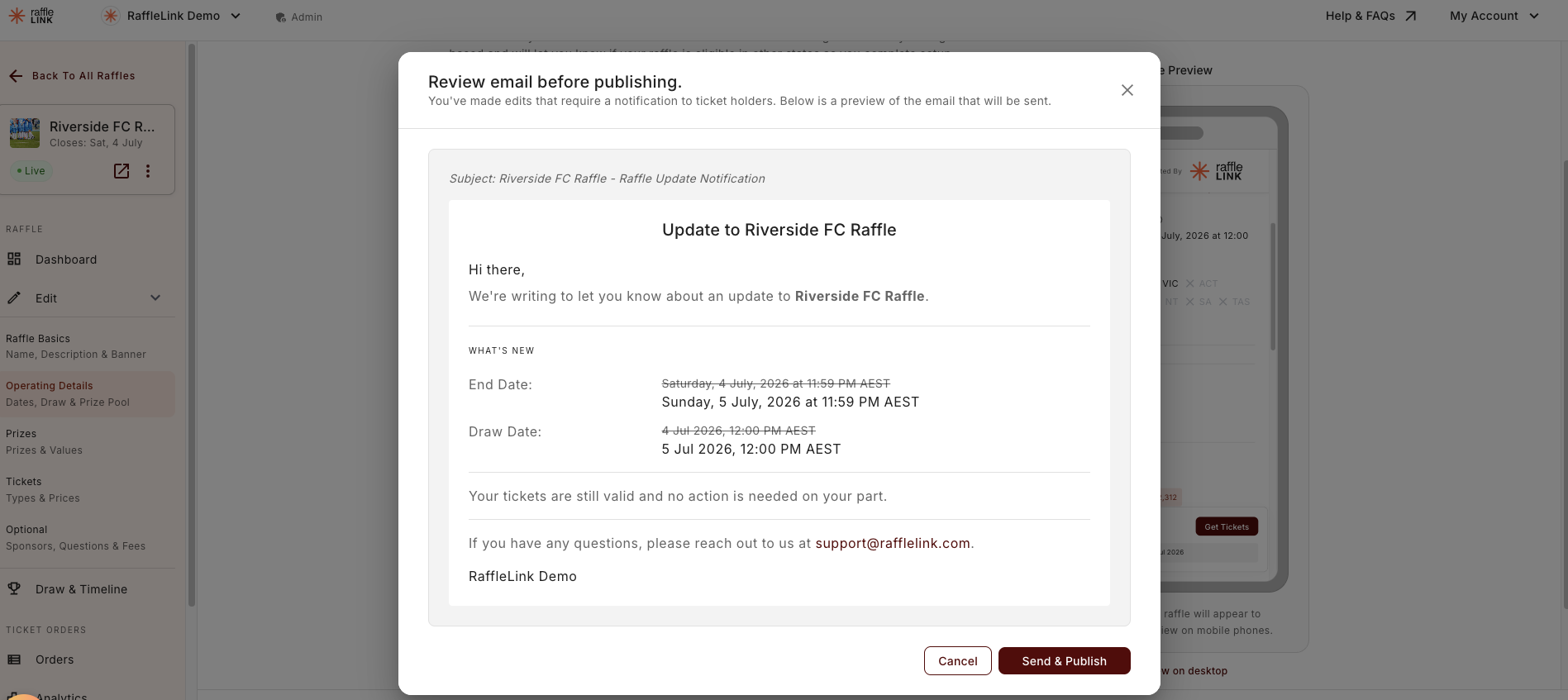
Before the notification goes out, you can preview what your ticket buyers will receive — the change summary they'll see. It's worth a quick look so you know the message reads the way you'd want.
Changes that don't notify
Free edits — description, images, sponsors — don't carry the lock icon and don't notify anyone. (Sponsor changes do flow through to future confirmation emails and ticket PDFs, so they're free but not purely cosmetic.) You can make those freely, any time, without thinking about your buyers' inboxes. See What you can change after activation for the full breakdown.
If a change is blocked
If you try to change something that's locked outright (like the ticket price) or that a state's rules don't allow on a live raffle (like increasing capacity in WA), RaffleLink will stop you and tell you why, rather than letting the change through and causing a compliance problem.