Track your payouts
Where to see what's been sent, what's due, and how to download your remittance.
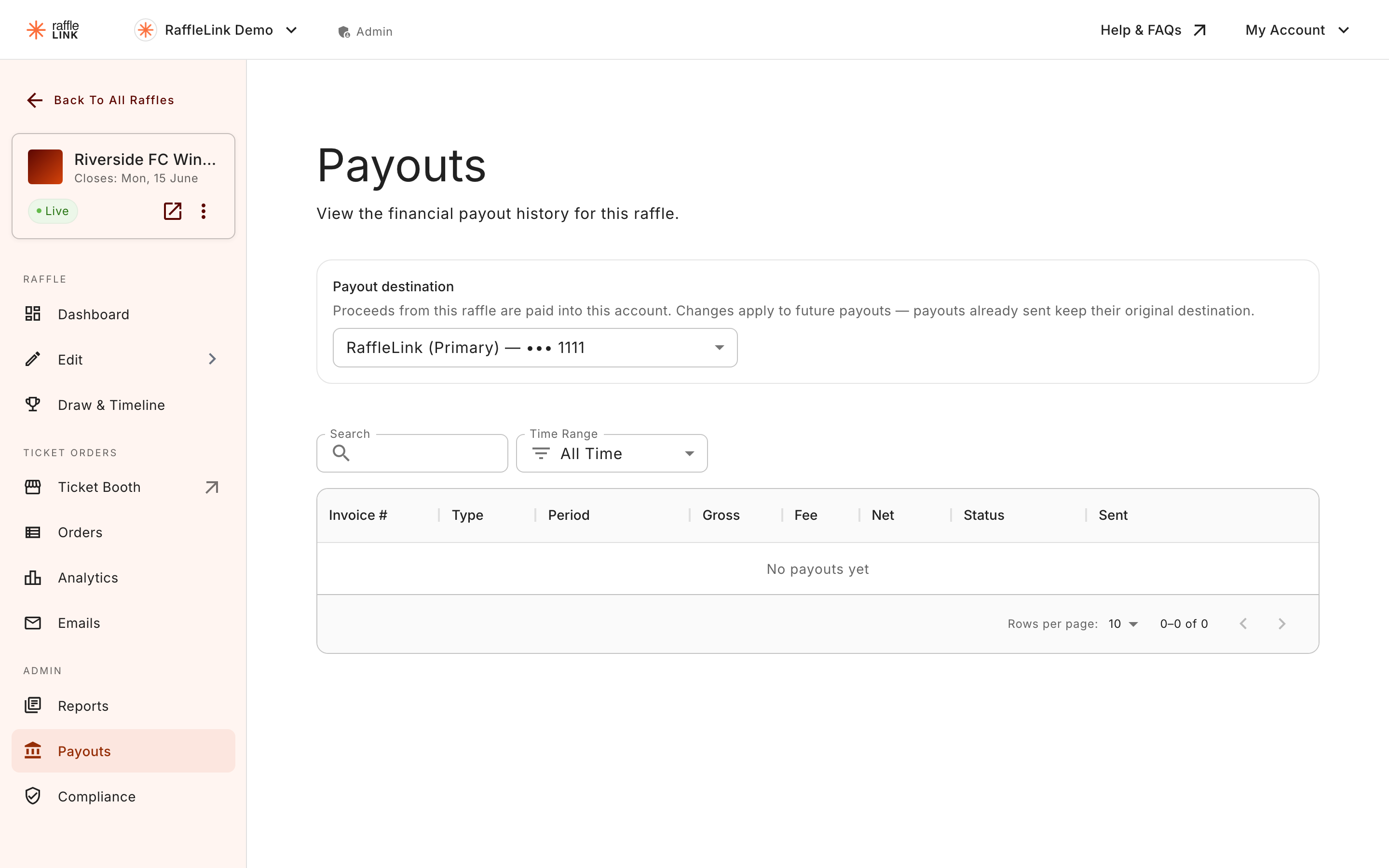
You can see every payout — past, in-flight, and scheduled — from your raffle's Payouts page. It's the page you'll come back to when reconciling against your bank statement, or when someone in your org asks "did the latest payout come through yet?"
What you'll see
The Payouts page lists each payout with:
- Type — instalment, final, or adjustment.
- Status — pending, processing, sent, held, or failed.
- Period — the week the payout covers (for instalments).
- Amount — the net amount transferred, after the platform fee.
- A download link for the raffle's tax invoice (PDF).
Reading a remittance advice
When a payout is sent, you also get a remittance advice emailed to you. It's your record of what was in the payout:
- The period or raffle covered.
- The gross RaffleLink Sales.
- The platform fee deducted.
- Any Fee Assistance added by buyers.
- The net amount transferred to your nominated bank account.
Hand it to your bookkeeper or treasurer to reconcile against your bank statement.
Why a payout might be held
Occasionally a payout sits in a held state rather than going out on schedule. The most common reason is that your payout bank account isn't verified yet — RaffleLink holds proceeds until the account is confirmed.
The fix is self-service: verify the account under Settings → Bank Account, and any held payouts are released automatically into the next payment run. RaffleLink also emails you a reminder — with the amount that's waiting — until it's done. See Verify your payout account for the full flow.
Personal payout accounts and the manual lanes (Invoice us, International) are exempt from this hold — see Verify your payout account.
If a payout is held for some other reason and you're not sure why, reach out to support@rafflelink.com — we'll explain what's happening and what (if anything) you need to do.
If a payment comes back
Occasionally a payout leaves RaffleLink and the bank sends it back — most often because a digit is out in the BSB or account number, the account name isn't one the bank recognises, or the account has since been closed. The payout then shows as failed.
You'll get an email about it, subject "Your payment was returned – [raffle name]", and it leads with the reassuring part: "Your money is safe. It is back in our payout queue, waiting to go out again."
What to do:
- Open your payout details from the Check your payout details button in the email (it takes you to your organisation's settings).
- Correct whatever's wrong on the account.
- That's it — once your details are confirmed we send the payment again, picking up the corrected account. Nothing is re-sent to the old details.
If everything already looks right, reply to that email and we'll chase it up with the bank. And if you're on one of the manual lanes, there's nothing to fix in settings — we'll be in touch to arrange the payment again.
This one is email only
A returned payment doesn't raise a notification in the bell menu, so it's worth making sure your organisation's contact email is one somebody reads.
Cash & POS Sales don't appear here
A reminder: this page only shows the money RaffleLink is sending you. Cash and POS Sales from the booth aren't payouts — you collected that money directly, so there's nothing for us to send. You'll see those reflected in your analytics and reports, but not in Payouts.