Your supporters
See everyone who has bought a ticket in your raffles — and export the ones who opted in to hear from you.
Over time, the people who buy tickets in your raffles become the most valuable thing you have: a list of people who already believe in what you do. The Supporters page brings them together in one place.
You'll find Supporters in your organisation's sidebar. It's an Admin view — the same people who manage your organisation's settings.
What's on the page
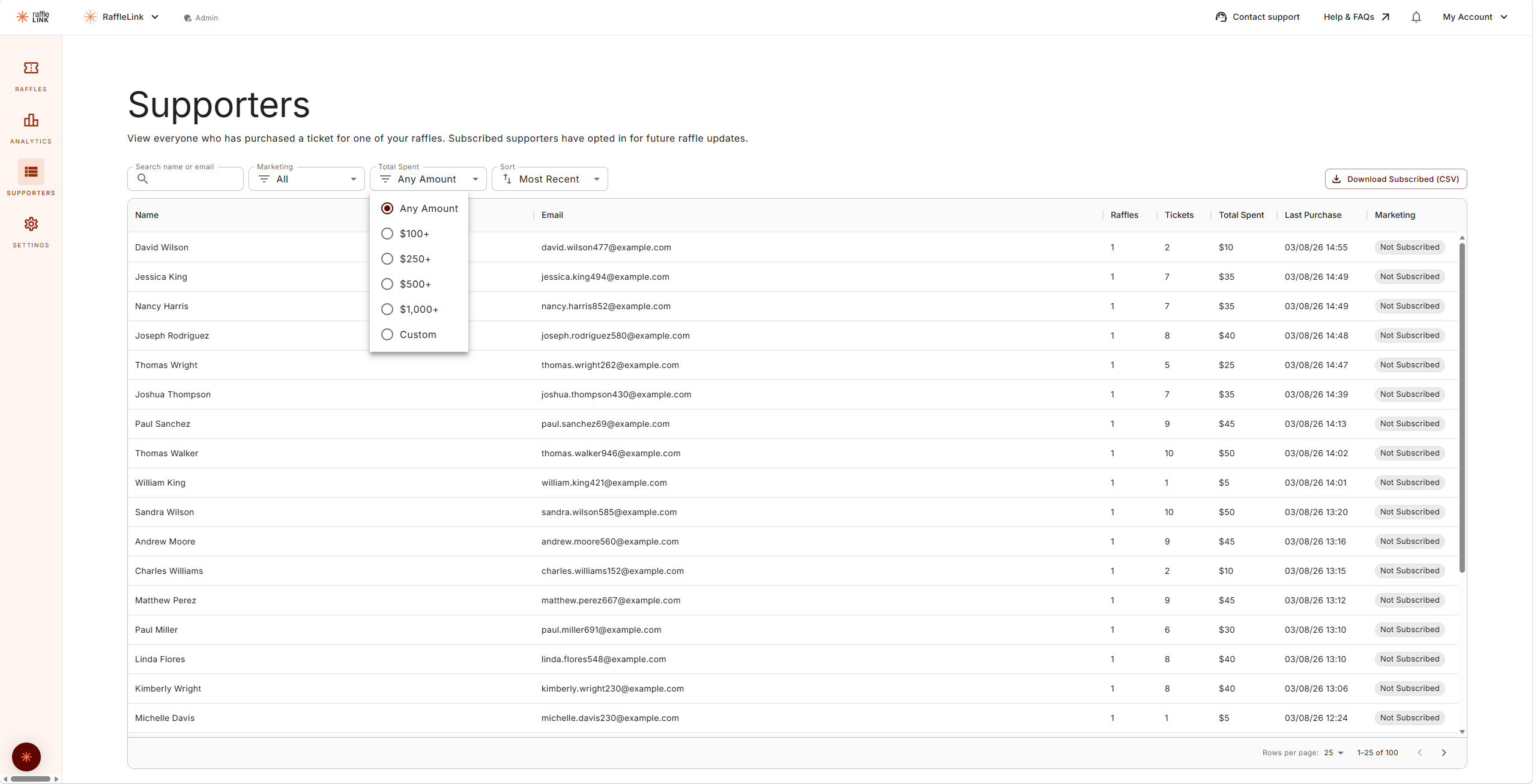
"Everyone who has bought a ticket in your raffles — including your linked Classic raffles. Supporters marked Subscribed opted in to hear about your future raffles."
Each supporter shows:
| Column | What it tells you |
|---|---|
| Name / Email | Who they are and how to reach them |
| Raffles | How many of your raffles they've bought into |
| Tickets | How many tickets, all up |
| Total spent | What they've contributed across your raffles |
| Last purchase | When they last backed you |
| Marketing | Subscribed, Not subscribed, or Unsubscribed |
You can search by name or email, filter by marketing status or by total spent (there are $100, $250, $500 and $1,000 presets, plus a custom amount), and sort by most recent or highest spend — handy for spotting the supporters who back you most.
Your RaffleLink Classic history counts too
If you've linked your Classic history, those supporters and their spend are folded in here — so a decade of goodwill doesn't get lost in the move. If a legacy supporter's history is still importing, their figures show as a dash for the moment.
Emailing your supporters
RaffleLink deliberately doesn't send marketing email on your behalf. Instead, you take your list to whatever tool you already use.
Choose Download Subscribed (CSV) to download the supporters who opted in to hear from you — never the ones who didn't. Pair that with the supporter email from the Promote page, and you've got a ready-made campaign for your next raffle.
Only ever the people who said yes
The export is limited to Subscribed supporters by design. People who didn't opt in — or who unsubscribed — stay out of it, no matter what you've got the Marketing filter set to. That keeps you on the right side of Australia's spam rules, and on the right side of your supporters.
Your search and spend filter carry into the download
If you've got a search term or a Total Spent threshold active, the download gives you just those supporters — so you can export, say, everyone who's given $250 or more. Clear your filters first if you want the whole subscribed list.