Preview your pages
Seeing your raffle and organisation pages exactly as a ticket buyer would.
Before you send your raffle out into the world, it's worth seeing it the way a buyer will. RaffleLink lets you preview both your raffle page and your organisation page.
Preview your raffle
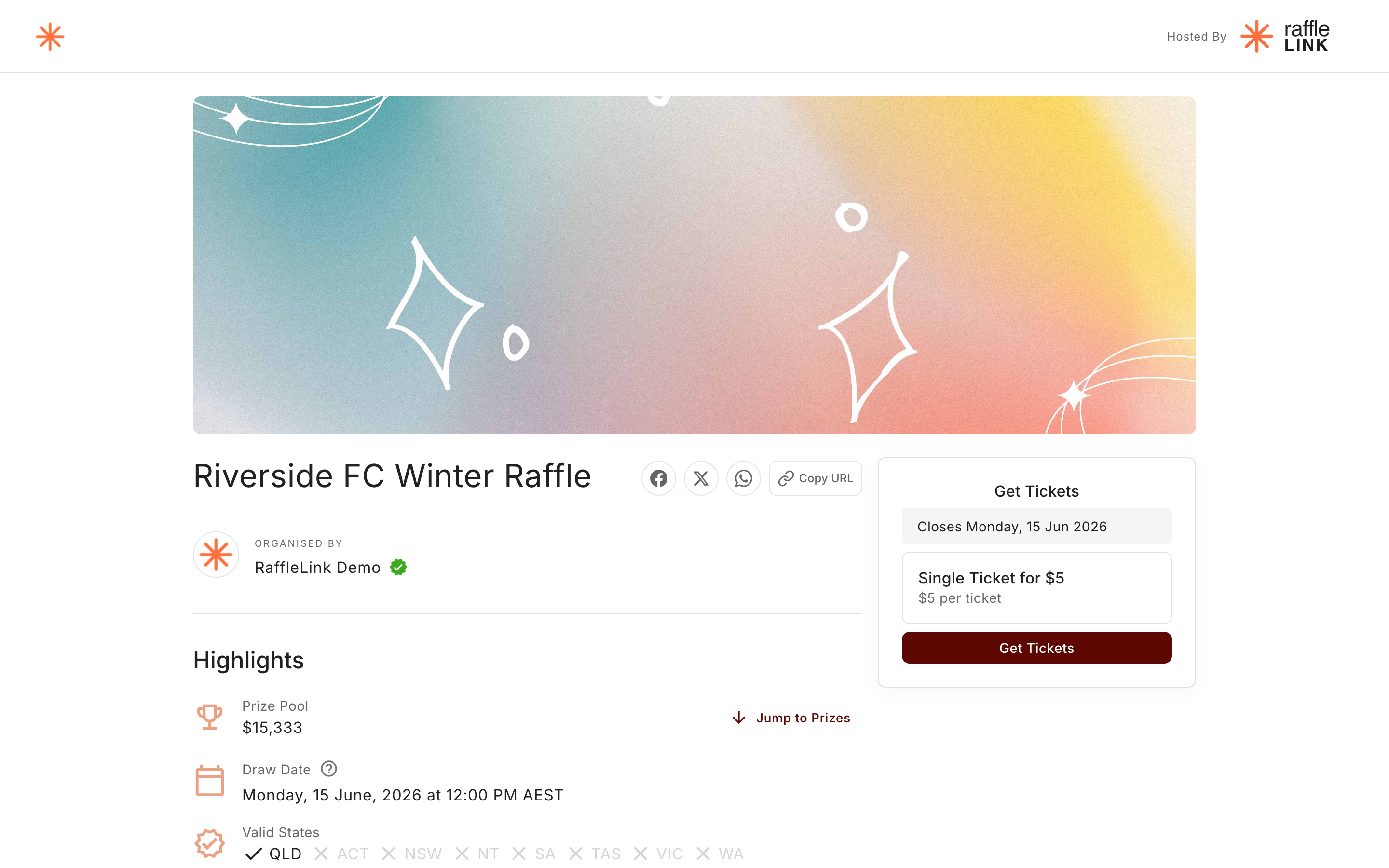
While building or managing a raffle, use the preview to see the public raffle page — your banner, description, prizes, sponsors, and the purchase flow — exactly as a ticket buyer would. It's the best way to catch a typo, a missing image, or a prize that didn't save before anyone else sees it.
Preview your organisation page
Your organisation also has a public page (your logo, description, and your raffles). You can preview that too, from your organisation settings — useful for making sure your profile looks the part before you point supporters at it.
Previewing a draft
You can preview a raffle while it's still a draft, before it's live. A member of the public landing on a draft raffle's link sees a "this raffle is still being prepared" message; you and anyone you share your preview link with see the full page, with a banner: "Preview Mode — You're viewing an unpublished raffle. You can try a test purchase; no payment is taken and no tickets are issued."
That last part is new and genuinely useful: from a preview, you can walk the entire checkout — ticket selection, contact details, the real payment form, and the confirmation page your buyers land on — as a test purchase. Nothing is charged, no tickets are issued, no emails are sent, and your sales figures stay untouched. The flow is clearly marked Test Purchase throughout, and finishes with Complete Test Purchase instead of a pay button.
Once your raffle is live, you can still test it: viewing your own raffle page as an organiser shows a banner — "You're an organiser of this raffle. Run a test purchase to see exactly what buyers experience — no payment is taken and no tickets are issued." — with a Try a test purchase action. Regular visitors never see it.
Why it's worth the minute
Your raffle page is your shopfront. A quick preview catches the small things — a stretched banner, a description that trails off, a prize photo that didn't upload — while they're still easy to fix. Once you're sharing the link far and wide, you want it looking its best.