Tickets and pricing
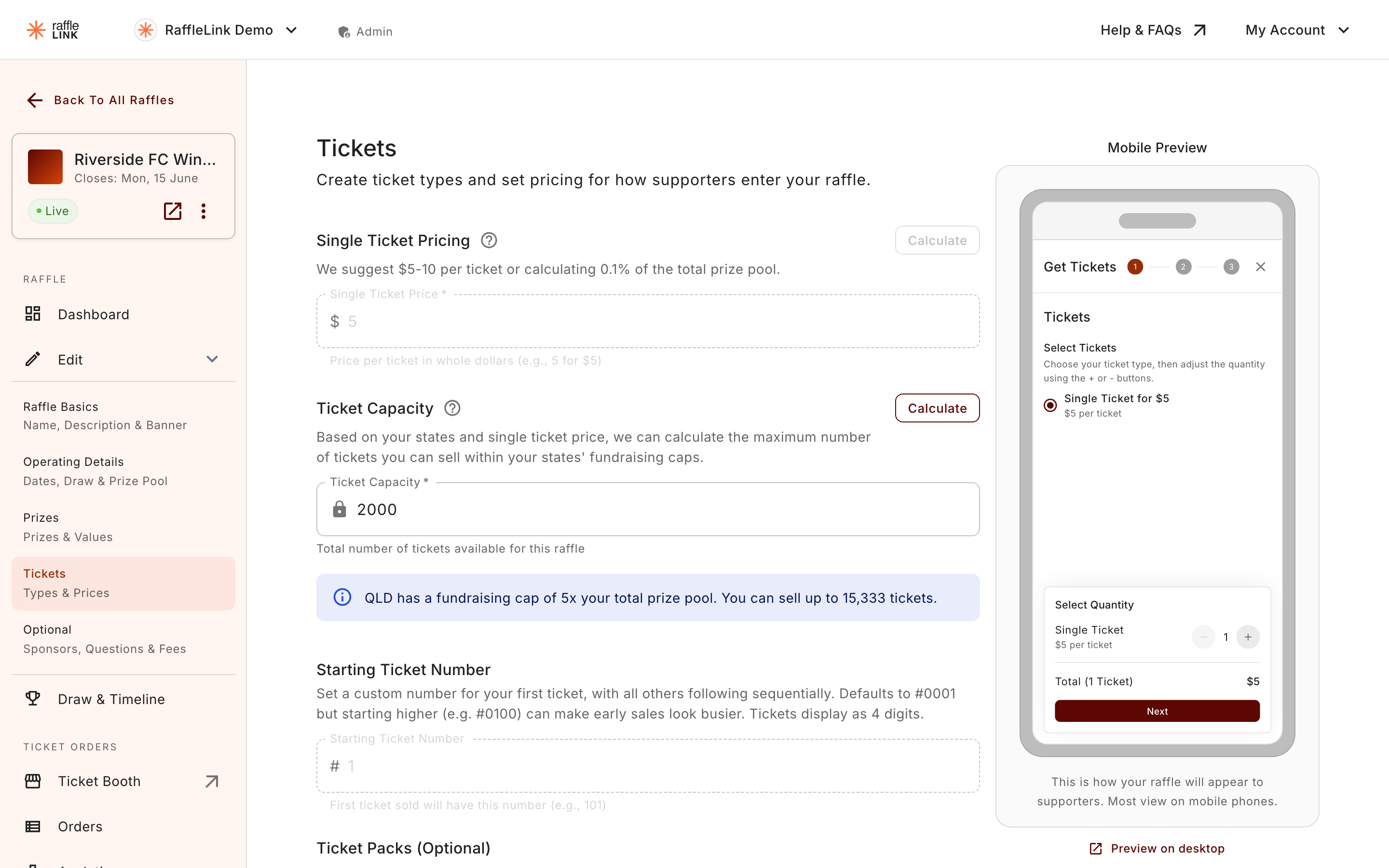
Set your ticket price, how many are available, and optional packs.
This step decides how people buy in. You'll set your ticket price, how many tickets exist, and — if you want — packs that reward buying more.
Ticket price
Your ticket price can't change after activation
Choose your ticket price carefully. Once your raffle is live, it's locked — not even a notification to ticket buyers will unlock it, because people have already bought under the advertised terms. Your ticket packs, starting ticket number, and the raffle's URL lock at the same moment. On a 50/50 raffle, the prize splits lock then too. Settle all of it before you activate.
Up until then you're free to change them — including while a raffle is waiting on an admin's review or has come back with changes requested. Going live is the cut-off, not submitting.
Not sure what to charge? Most successful raffles price tickets between $5 and $10. It's a range that keeps entry accessible while still raising meaningfully.
How many tickets
Set your ticket capacity — the total number available. When they're gone, they're gone (which is part of what creates urgency).
Ticket packs
You can offer packs that make buying more attractive — for example, "buy 5 tickets, get 1 free." Packs are optional, but they're a simple way to lift your average sale.
Selling into WA? Packs are same-price
Western Australia requires every ticket to be sold at the same price, so it bans discounted packs — not packs themselves. If WA is one of your operating states, RaffleLink still lets you offer packs but sets their prices for you (pack size × ticket price), so a 10-pack of $5 tickets is $50. Supporters still get the one-tap "buy more" option; there's just no discount. Because a raffle has to satisfy the strictest state it sells into, this applies to the whole raffle, not just WA buyers. See Western Australia rules.
Selling in person too
The Tickets step is also where you choose your Sales Method. Leave it on Online Only for an online raffle, or switch to Online & In-Person if you'll also sell face to face.
Choosing in-person selling adds an In-Person Ticket Type(s) dropdown with three options:
- Digital Tickets via Ticket Booth — the same digital tickets as an online order, issued through an interface built for selling face to face. See Ticket Booth.
- Paper Tickets — genuine printed tickets you hand over and track by count. See Sell paper tickets too.
- Digital Tickets & Paper Tickets — both at once.
Whichever you pick folds into the same capacity and the same draw.
Draw Method
The bottom of the Tickets step is where you choose your Draw Method — "How you plan to conduct your draw." There's a What can I expect from each draw method? link beside it if you want the detail before deciding.
Your options depend on whether paper tickets are switched on:
- No paper tickets — Instant Draw (RaffleLink picks the winners for you) or Hat Draw (you pull the winners yourself and enter them).
- With paper tickets — Hybrid Draw or Combined Hat Draw, both of which handle the mix of digital and paper entries.
Switching paper tickets on or off re-pairs the draw method for you, so the two always match. You can change your mind later from the Draw & Timeline tab, right up until the draw runs — after that it's fixed, and the field reads "Locked: the draw has already been run." See Draw by hand for what each method feels like on the day.
Next: Sponsors and questions.