Notify the winners
Telling your winners — optional, and with a message you control.
Once you've drawn, the winners need to hear the good news. RaffleLink lets you send that message yourself, so it sounds like your organisation rather than a generic system email.
Emailing winners is optional
Plenty of organisers ring their winners, or tell them in person at the event. That's completely fine, and RaffleLink doesn't need to know either way.
The only post-draw step that's required is publishing your results, because that's what puts the winners on your raffle page and finalises your payout. You can email your winners before you publish, after you publish, or not at all. The step chip on the Draw tab says Winners emailed (optional) for exactly this reason.
Send the winner email
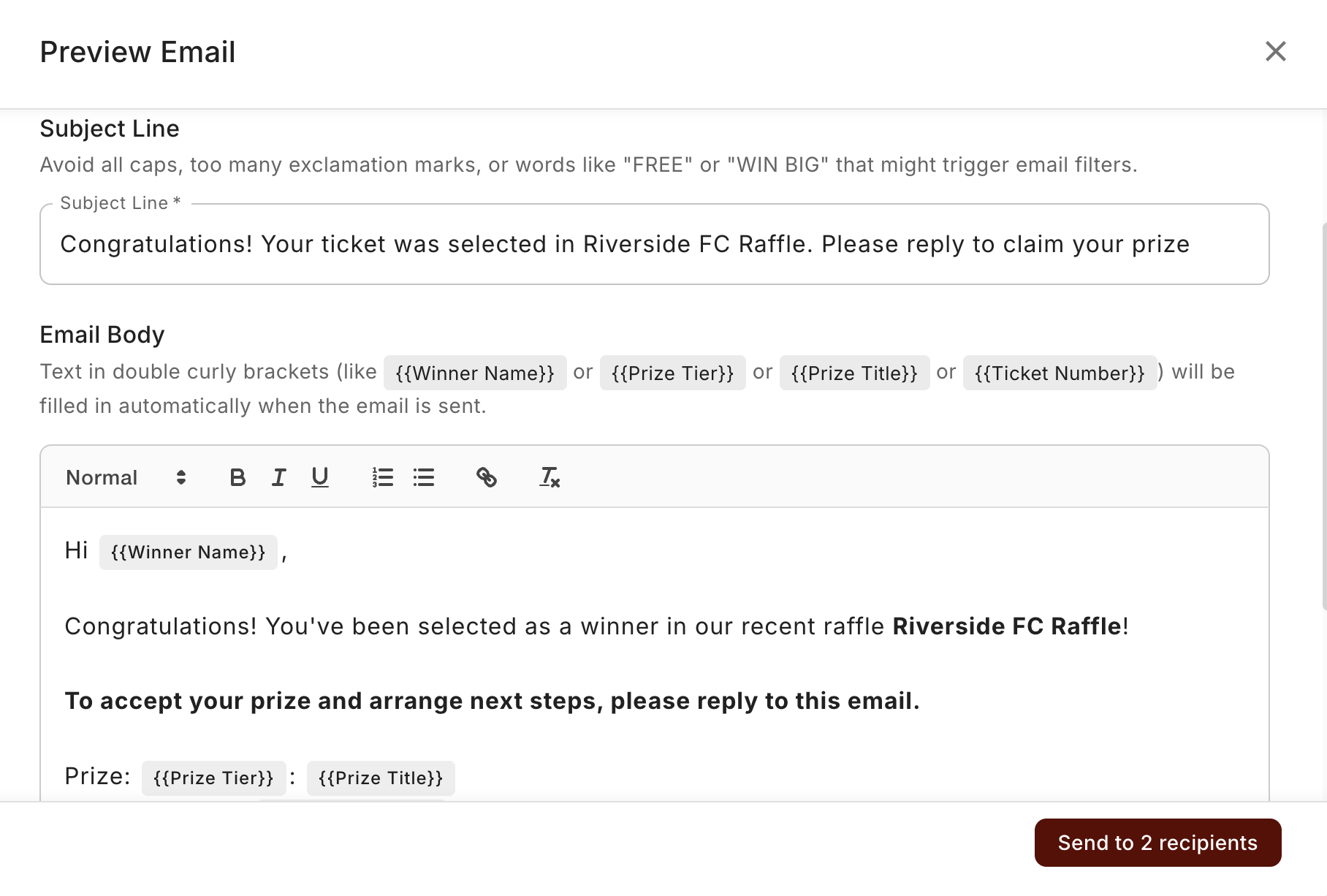
On the Draw & Timeline tab, the Next Steps card gives you a Notify Winners button, sitting alongside the primary Publish Results button. The Winners tab has the same Notify Winners button. It opens a composer where you write the message — congratulations, and importantly, what happens next: how they'll receive their prize, who to contact, any details they need to claim it. This email goes to the winners.
Once it's sent, the button is done — you can't send the same winner email twice.
Announcing the result to everyone (optional)
If you'd also like to tell everyone who took part — not just the winners — there's a separate Send Announcement action once your results are published. It's a nice touch for community raffles where the result is part of the story. So there are two distinct emails, and neither one is compulsory:
- Notify Winners → goes to the winners.
- Send Announcement → goes to all ticket buyers.
What to put in the message
A good winner email covers:
- Congratulations — they won, make it feel like it.
- Which prize they've won (if you had multiple).
- How they'll get it — pickup, delivery, a call from you, whatever applies.
- Who to contact and by when, if they need to claim or arrange collection.
The clearer this is, the fewer follow-up questions you'll field.
Winners are people who gave you their email
Remember that your winners reached their tickets through the email on their order — so the notification goes to that address. If a winner's email was wrong, you may need to update their contact information first. And if a winner doesn't respond, see If you can't reach a winner.