Saving a card for next time
Save a card to your RaffleLink account so your next raffle entry is one tap — and remove it whenever you like.
If you enter raffles more than once, you can save a card to your RaffleLink account so the next checkout is quick. It's entirely optional — guest checkout works exactly as it always has.
Saving a card
Two ways:
- At checkout. If you're signed in, the payment form offers to save your payment details. Tick it and the card is remembered for next time.
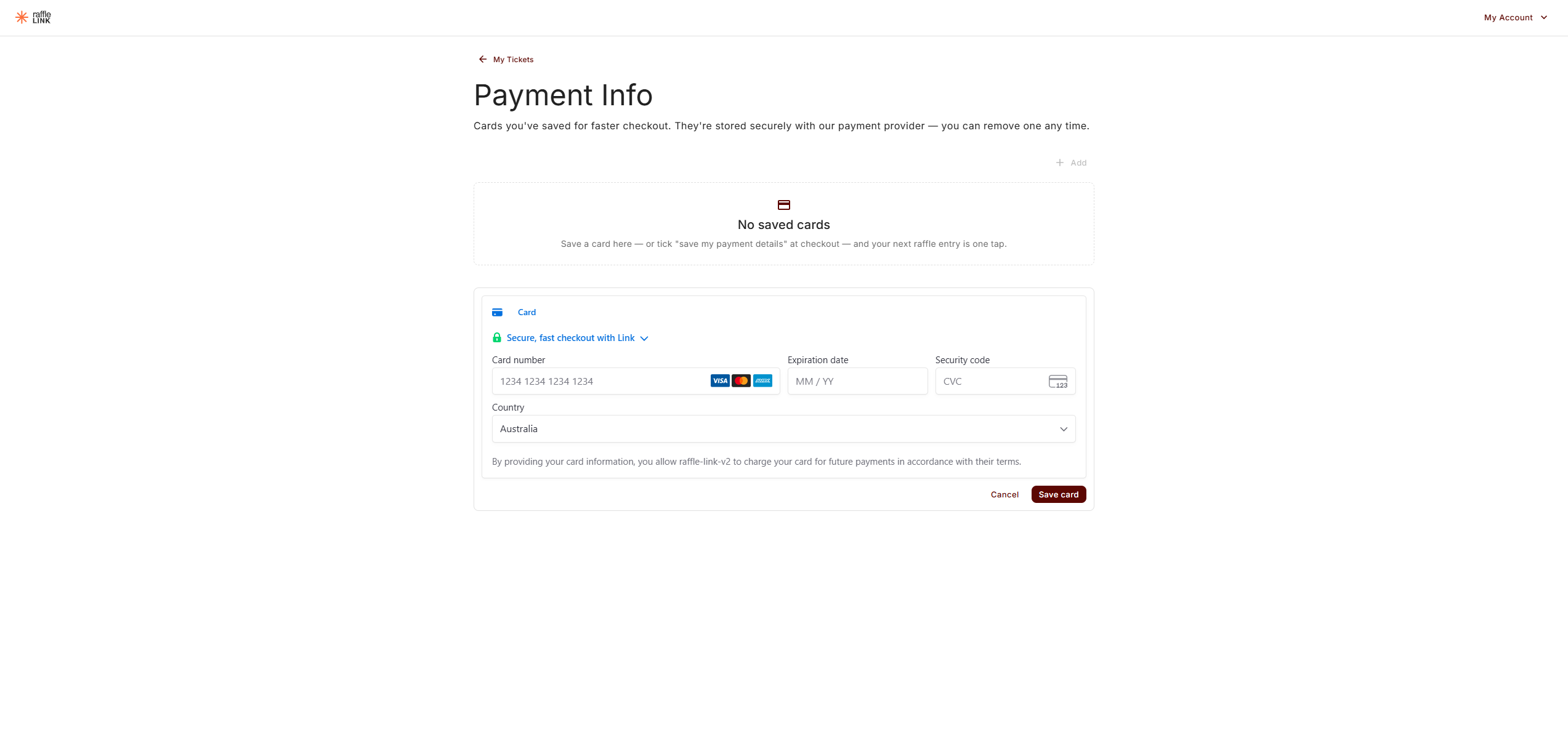
- From your account. Go to My Tickets → Payment to open your Payment Info, then choose Add.
You need to be signed in for either — a saved card lives on your account, so there has to be an account to attach it to.
Using it
Next time you're signed in and buying tickets, your saved card is already there in the payment step — pick it and pay. You can always enter a different card instead.
If you've used RaffleLink before, you'll also notice the contact step is already filled in — "We've filled in your details from your last purchase." If it's not right, choose Use different details.
Apple Pay and Google Pay show up automatically in the payment step if your device supports them, whether or not you have an account.
Managing your cards
My Tickets → Payment opens your Payment Info, listing everything you've saved:
"Cards you've saved for faster checkout. They're stored securely with our payment provider — you can remove one any time."
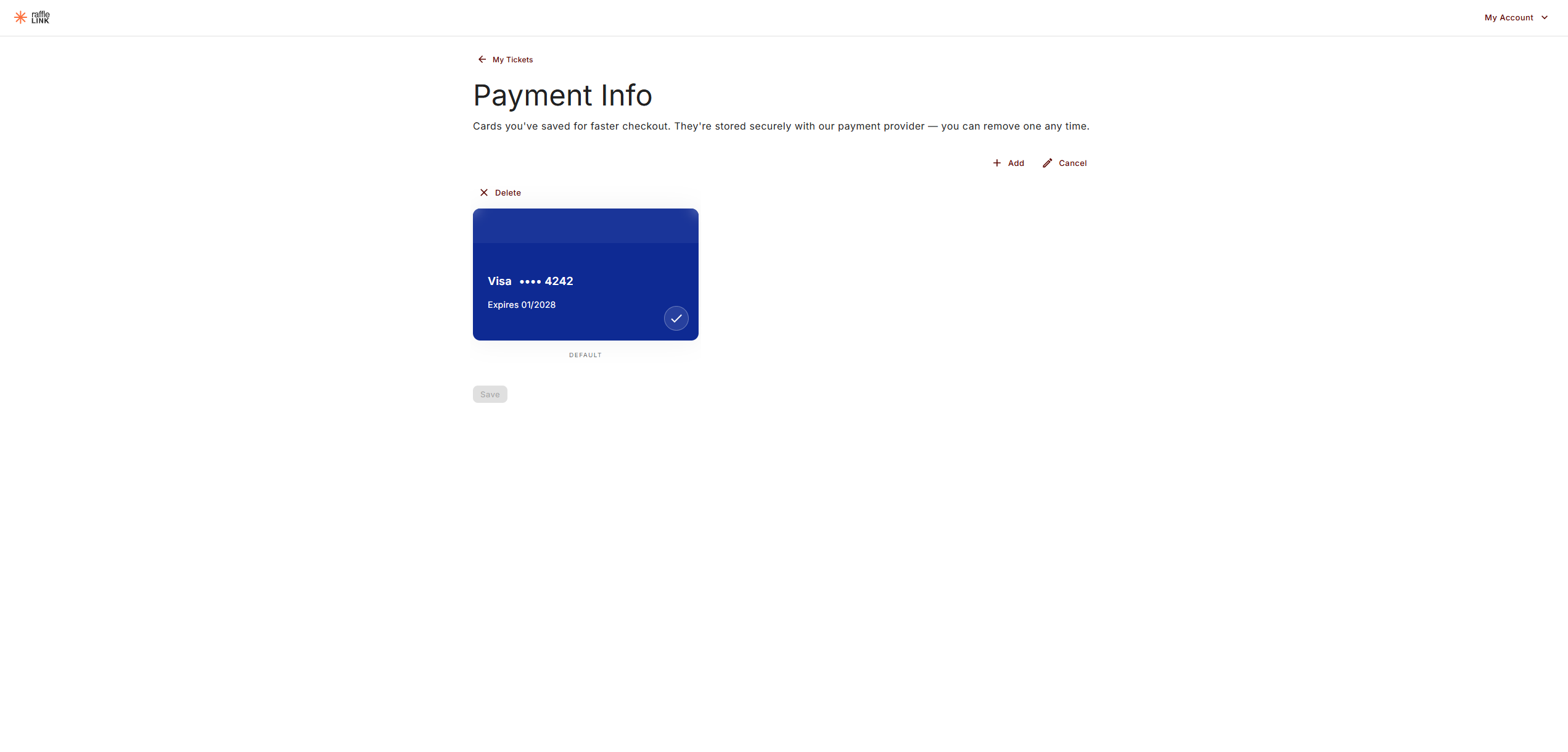
Each card shows its brand, the last four digits, and its expiry. Choose Edit to make changes:
- Set a default — in Edit mode, tap the card you want, then choose Save. That's the one pre-selected at checkout, marked DEFAULT beneath it.
- Remove a card — in Edit mode, choose Delete on the card and confirm. If you remove your default, RaffleLink automatically promotes another saved card to take its place.
RaffleLink never sees your card number
Your card is stored with our payment provider, not by RaffleLink. We only ever see the brand, the last four digits, and the expiry date — enough to show you which card is which.
What a saved card doesn't do
Saving a card is only to save you typing at your next checkout. It never lets anyone charge you without you being there:
- Nothing is charged automatically. You confirm every purchase yourself.
- There's no auto-entry into future raffles or subscriptions.
- Saved cards are for cards only. Apple Pay and Google Pay handle their own saved cards on your device.
Remove a saved card any time, and you'll simply be asked for your details at the next checkout, like a guest.