Getting help
How to reach the RaffleLink team from inside the portal — and what we can see when you do.
If something isn't working, or you're not sure how to do something, you can reach us without leaving RaffleLink. Look for Contact support in the header (it's in the menu on mobile).
You'll also find a contact support link at the exact spot where you're most likely to need one — on the compliance dashboard, on the embed/developer page, and in the Classic history import, among others.
Sending a request
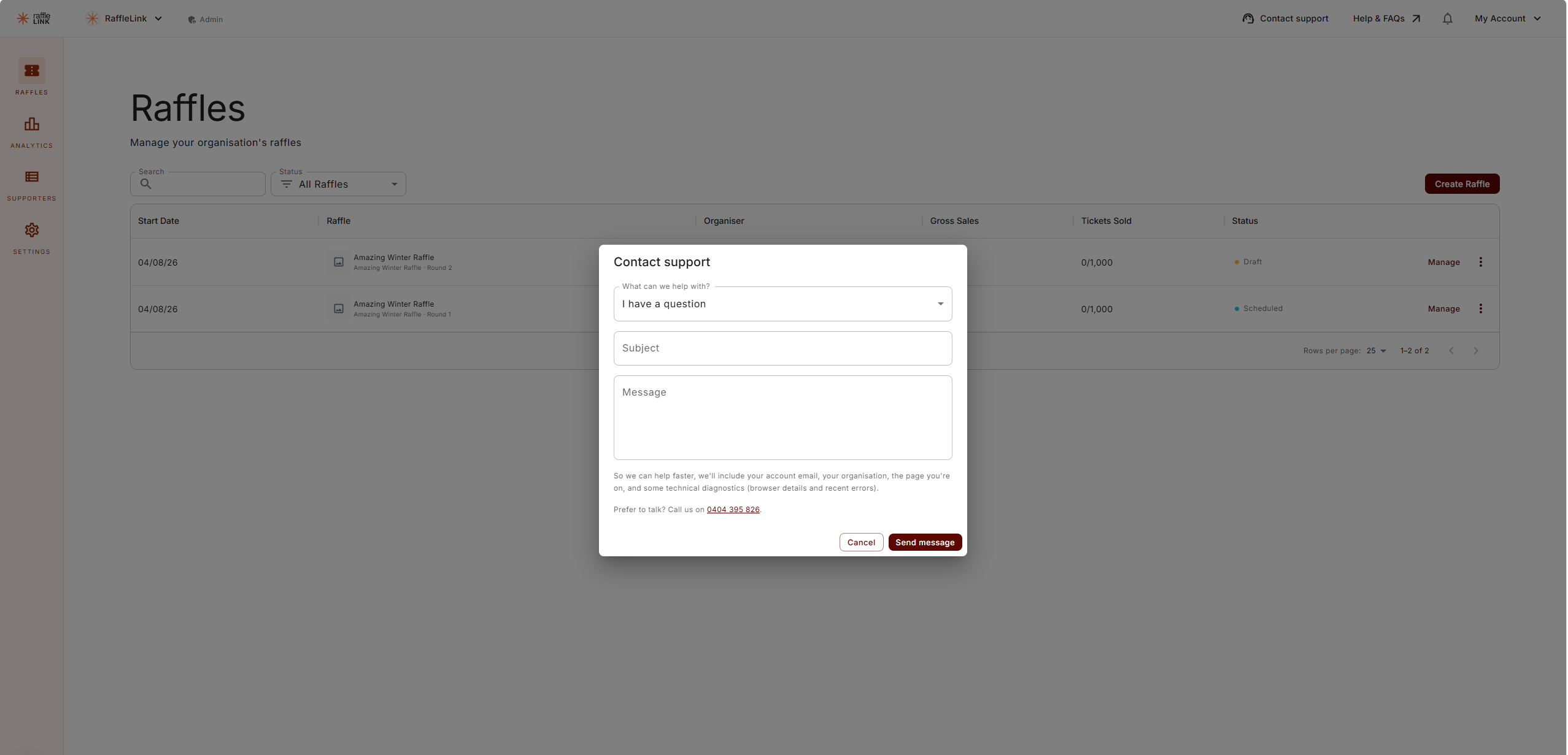
The form asks for three things:
- What can we help with? — pick the closest match: a question, something's not working, feature request or feedback, billing and payouts, printing and custom orders, permits and compliance, or something else.
- Subject — a short summary.
- Message — what's going on.
Choose Send message and it goes straight to our support inbox as a conversation. We reply to your account's email address, and you can pick the thread up again any time from the chat bubble in the corner of the portal.
Would rather talk it through?
The form also lists a phone number — "Prefer to talk? Call us on 0468 181 779." Handy when something's time-critical, like a raffle closing today.
What we can see
So we can help without a round of "which page were you on?", your message automatically includes your account email, your organisation, the page you were on, and some technical diagnostics — browser details and any recent errors. The form tells you this before you send.
That context is what usually lets us answer properly first time, rather than asking you to reproduce the problem.
If the form won't send
You can always email support@rafflelink.com directly — the form itself points you there if something goes wrong on our end.
Buying a ticket rather than running a raffle?
This form is part of the organiser portal. If you're a ticket buyer with a question about a purchase, email support@rafflelink.com, or contact the organisation running the raffle — their details are on the raffle page.