When you need a permit
What triggers a permit requirement, and how to submit your permit in RaffleLink.
Not every raffle needs a permit. Small raffles often run under standard conditions with no permit at all. A permit tends to become necessary once a raffle gets bigger — and "bigger" is measured differently in each state.
What usually triggers a permit
The common trigger is the size of your raffle, measured by either total prize value or total ticket sales, crossing a state's threshold. For example (as a rough sense — see each state's page for the actual figures):
- Some states require a permit once total prize value passes a set amount.
- Others key it to gross proceeds (total ticket sales).
- A few also require a permit if you want to exceed a standard condition — run longer, sell more tickets relative to prizes, and so on (these are the soft limits).
Because the thresholds differ, a raffle that needs no permit in one state might need one in another. The exact numbers are on each state's page.
RaffleLink flags it for you
You don't have to work the thresholds out yourself. As you add prizes and choose states, RaffleLink's Compliance step checks your raffle and flags when a permit is likely required — for which state, and why. You'll see this before you can publish, so there are no surprises after you've gone live.
A permit flag isn't a dead end. It's a heads-up that there's a step to complete with the regulator before this particular raffle can go ahead in that state.
Getting the permit
RaffleLink can flag a permit and help you with the paperwork, but the permit itself comes from the state regulator — you apply to them. The general shape:
- RaffleLink flags that a permit is needed for a state.
- You apply to that state's regulator for the permit (each state's page links to the right body).
- The regulator issues your permit (often a permit number).
Submitting your permit in RaffleLink
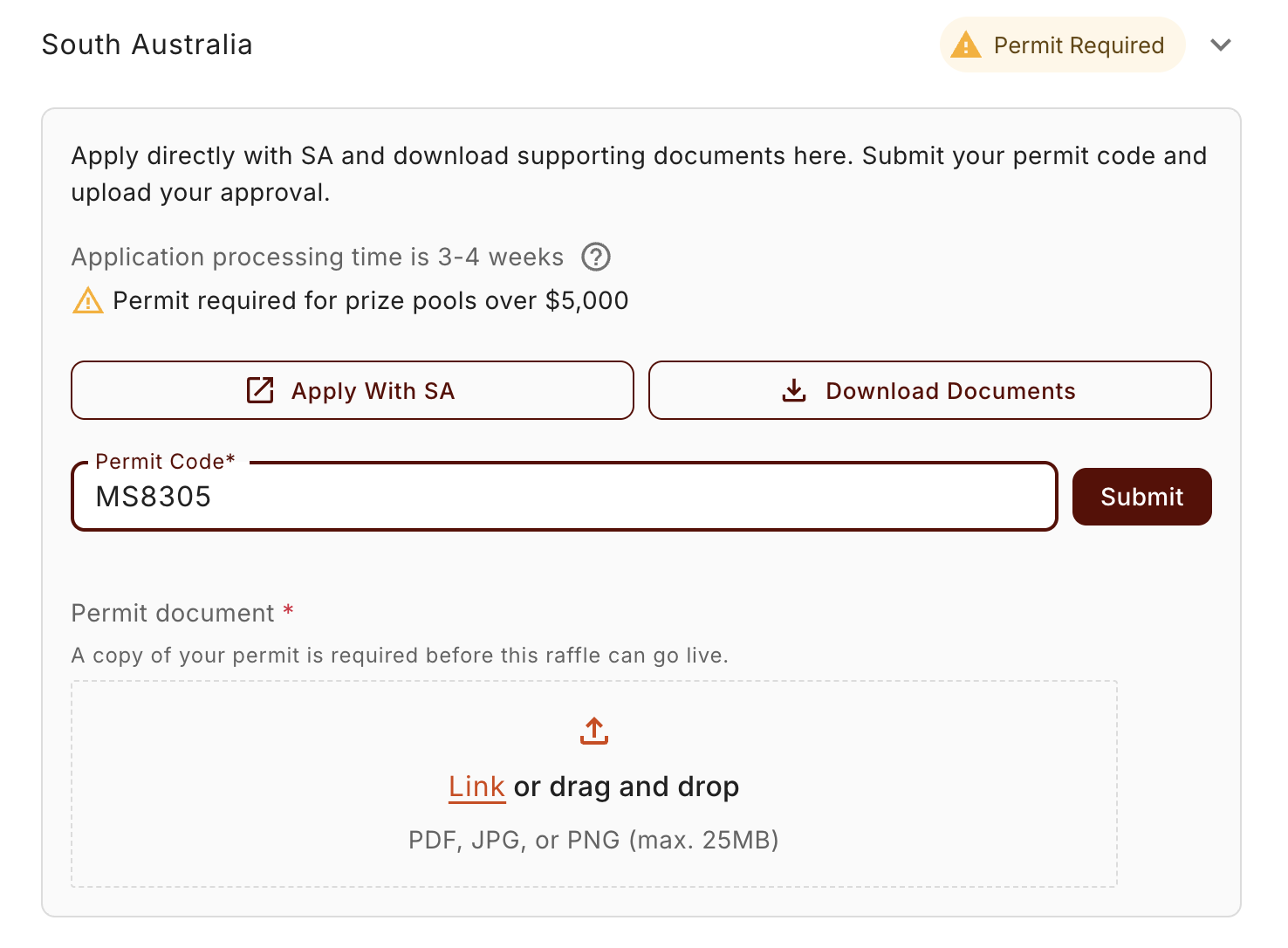
Once you have your permit, you record it against your raffle in the Compliance step, for each state that needs one. There are two parts:
- Enter your permit number for that state.
- Upload a copy of your permit — a PDF, JPG, or PNG (up to 25 MB).
The uploaded copy is required before your raffle can go live in that state, so don't skip it. RaffleLink keeps your document private — only you and the RaffleLink team can see it — and you can replace it any time by uploading a new file over the old one.
Once saved, your permit number appears automatically on your raffle's public terms — shown as Permit Number (NSW) and the like, or Category 3 Licence Number for Queensland — so ticket buyers can see the raffle is properly permitted. You don't enter it anywhere else.
Relying on an exemption instead of a permit?
If a state lets you run without an actual permit — for example, a Western Australian raffle under the permit threshold — there's no permit number or document to upload. You only upload a copy when you've genuinely obtained a permit for a state.
If you'd rather not get a permit
You always have the option to adjust the raffle so a permit isn't needed — for instance, a smaller prize pool that stays under the threshold, or simply not selling in the state that triggers it. RaffleLink shows you what's driving the requirement, so you can decide whether to pursue the permit or change the raffle.
50/50 raffles can't record a permit
Permits can't be recorded on a 50/50 raffle. If a state would require one at your configured size, the only ways forward are adjusting the setup (ticket price, capacity, splits, or caps) until it passes without a permit, or not selling in that state.
Recorded a permit you turn out not to need? You're not stuck with it. On the recorded-permit card there's Don't need a permit? Remove it — that clears the permit number and drops the state back to whatever it needs without one. In Queensland, for example, removing the permit makes the $50,000 self-cap option available again.
Removing a permit also removes its document
The uploaded copy belongs to that specific permit, so removing the permit deletes the document too. If you later record a different permit for the state, you'll need to upload that permit's paperwork afresh.
Once your raffle is live, you can keep an eye on permit status from the compliance dashboard.
Choosing the states
How the states you sell in determine which rules your raffle must follow.
The QLD Category 3 application — method of draw
Copy-paste answers for the "method of draw" section of OLGR's Category 3 gaming licence application — for a RaffleLink electronic draw, a barrel draw, or a hybrid raffle.